Real OS · Not a virtual machine

The real Kali Linux
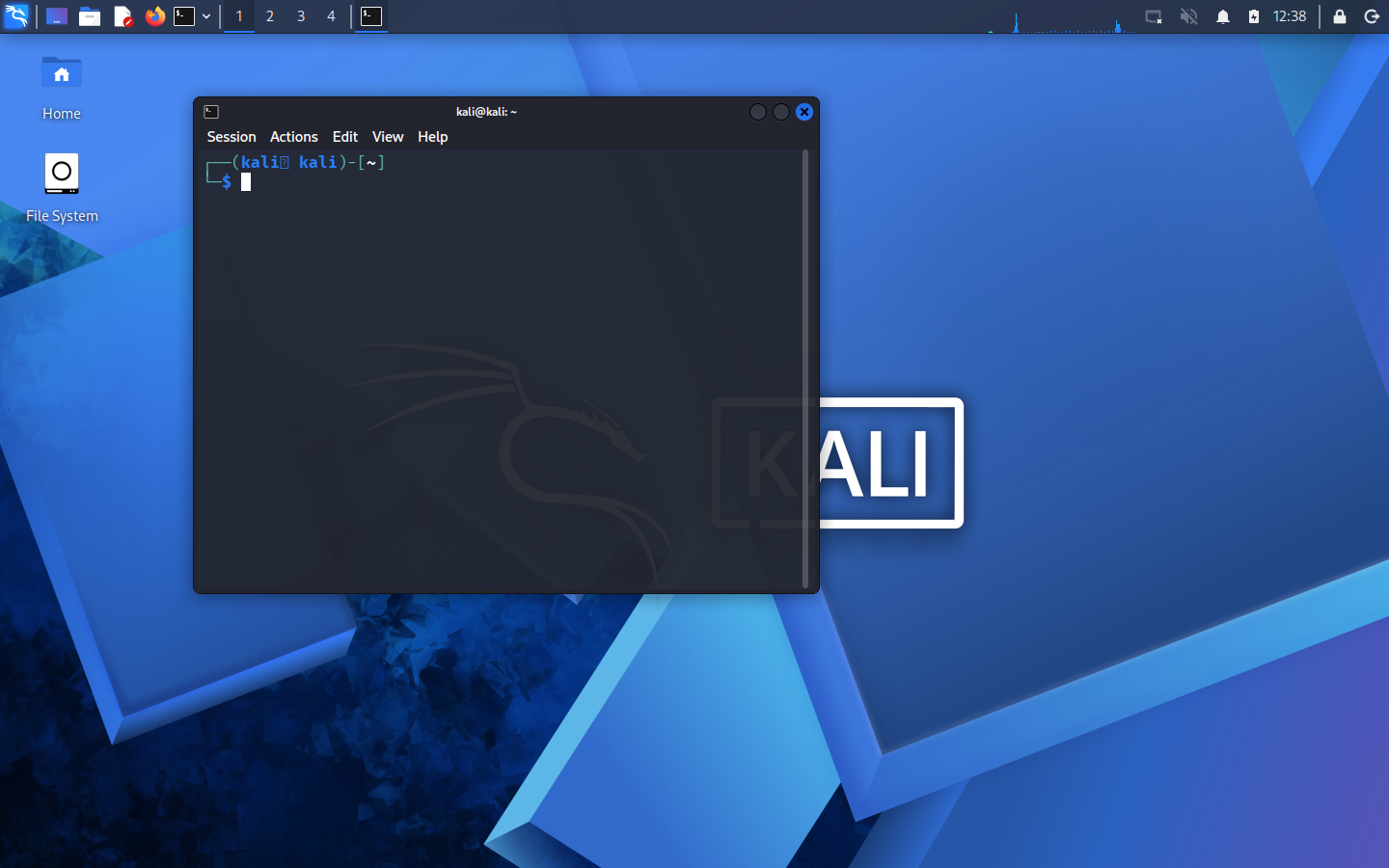
desktop, inside your browser.

Every tool. Every command. The actual operating system — running on our servers and streamed to your browser. No VirtualBox, no ISO, no 40 GB download. Open a tab and you're in.

Free for students · No install · Isolated & sandboxed · Ready in seconds
Real Kali Linux XFCE desktop with terminal running in a browser
↑ A real Kali desktop running in a browser tab — the terminal, the tools, the `kali@kali` prompt. All real.

This is a real operating system, not a simulation.

Most "hacking labs" give you a fake terminal or a few scripted commands. Kali-Cloud runs the genuine Kali Linux OS in an isolated container and streams the whole desktop to you.

❌ A fake / limited lab

  • A canned terminal with a handful of commands
  • Scripted, pre-recorded "results"
  • No GUI tools, no real file system
  • You can't actually break anything
  • ✅ Kali-Cloud

  • The genuine Kali Linux OS & XFCE desktop
  • Real nmap, Metasploit, sqlmap, hydra, john…
  • Real GUI apps, file manager, browser
  • Real practice targets in a sealed network
  • Ready in three steps

    No setup on your machine. The heavy lifting happens on our servers.

    Open the page

    Nothing to install. Works on any laptop — even a slow one; the quality adapts to your device automatically.

    Launch a desktop

    One click spins up a private, isolated Kali box just for you. It boots in seconds.

    Start practicing

    The full Kali desktop appears in your tab. Open a terminal, run the tools, learn by doing.

    Everything a real Kali gives you

    Because it is a real Kali.

    🖥️

    Full XFCE desktop

    Menus, GUI apps, file manager, settings — the complete Kali desktop, not just a shell.

    🛠️

    The real toolset

    nmap, Metasploit (2600+ exploits), sqlmap, hydra, john, hashcat, and hundreds more.

    🎯

    Practice targets

    Vulnerable machines in a sealed private network — attack them safely and legally.

    Adapts to your PC

    Weak laptop or slow internet? The stream auto-tunes so it stays smooth, never laggy.

    🔒

    Isolated by design

    Every box is locked down and cut off from the internet — it can't touch the real world.

    💾

    Your own space

    On paid plans your files and setup persist between sessions, so you pick up where you left off.

    Simple plans

    Most of what you need to learn is free. Advanced work is for pros.

    Student

    Free
    For learners getting started
  • Full Kali desktop
  • Core tools (nmap, Metasploit, sqlmap, hydra…)
  • Practice targets in a sealed network
  • Time-limited sessions
  • Persistent storage
  • Advanced / heavy tools
  • WiFi & Bluetooth lab
  • Most popular

    Pro

    Paid / month
    For serious learners & professionals
  • Everything in Student
  • The full advanced toolset
  • Persistent storage & longer sessions
  • More CPU & memory
  • Controlled internet access (for CTFs)
  • Extra security layer
  • WiFi & Bluetooth lab (add-on)
  • Pro + Hardware

    Paid / usage
    Real-radio wireless labs
  • Everything in Pro
  • Real WiFi lab — aircrack, deauth, handshakes
  • Real Bluetooth lab
  • Dedicated hardware, booked by time-slot
  • Highest security & audit tier
  • Real WiFi / Bluetooth attacks need physical radio hardware, which cloud servers don't have — that's the Hardware tier. But you can learn the entire WiFi-hacking workflow for free, right now, in your browser with our WiFi Lab simulator — the real aircrack-ng commands, no hardware needed.

    🛜 Try the WiFi Lab (free) →

    Security on both sides

    We protect the platform from misuse — and we protect you.

    🔵 Every box (all plans)

  • Runs as a non-root, locked-down user
  • All Linux capabilities dropped; no privilege escalation
  • Isolated private network — no internet egress
  • Can't reach the host or any other user's box
  • Strict CPU / memory / process limits
  • Auto-destroyed after your session — nothing lingers
  • 🟢 Pro — extra layer

  • Everything on the left, plus:
  • A hardened, read-only system with a tighter syscall filter
  • Per-user encrypted, isolated storage
  • Controlled, audited internet egress (no open access)
  • Priority monitoring & abuse detection
  • Highest tier on the Hardware plan
  • Questions

    Is this really a full operating system?

    Yes. It's the genuine Kali Linux OS running in an isolated container on our servers, with the whole XFCE desktop streamed to your browser. It is not a simulation or a limited terminal.

    Do I need to install anything?

    No. It runs entirely in your browser tab. Even a low-end laptop works — the stream quality adapts to your device automatically.

    Is it legal? Can I get in trouble?

    Every box is sealed off from the real internet, so you can only practice against the targets we provide. You must agree to our Acceptable Use policy — the platform is for learning and authorized testing only.

    Why can't I do WiFi/Bluetooth attacks on the free plan?

    Those need physical radio hardware, which cloud servers don't have. Real wireless labs run on dedicated hardware and are offered on the Hardware tier.

    Is my activity private?

    Your box is isolated and destroyed after your session. On Pro, storage is per-user and encrypted. See our Privacy Policy for details.

    Open a real Kali desktop right now.

    Free for students. No install. Ready in seconds.

    Launch a desktop →